Unlocking the Best from Your Roku: HDMI Port Strategies
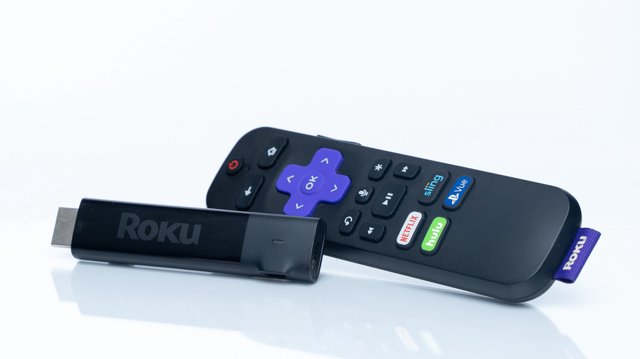
Hey there, pixel pals! Today, we're diving into the world of streaming devices, specifically the mighty Roku, and how to ensure you're getting the best performance from it. Just like choosing the right character in your favorite fighting game, plugging your Roku into the right HDMI port can make a big difference in your viewing experience. So, grab your controller and let's level up your setup!
First off, it’s crucial to know that not all HDMI ports are created equal. Depending on your TV and its capabilities, some ports might offer a better experience than others. While most modern TVs support at least HDMI 2.0, which can handle 4K and HDR10+, the secret lies in picking the right port for your Roku. This can mean the difference between a smooth cinematic journey and a frustrating pixelated experience!
One of the coolest features of the Roku Ultra is its support for Quick Media Switching (QMS). Imagine flipping from your favorite action flick to the evening news without those annoying blackouts! If you’ve plugged your Roku into a port that supports this feature, you’re in for a much smoother ride. Just remember, if you find yourself in a situation where your Roku is connected to an ARC or eARC port, you might be setting yourself up for some audio headaches. These ports are meant for soundbars and audio receivers, not for your streaming device.
Now, let’s talk about cables! Think of the HDMI cable as the power-up you need to keep your streaming experience at its peak. If your Roku can support HDMI 2.1 features, but you’re using an HDMI 2.0 cable, it’s like trying to play Mario Kart on a GameBoy; you’re not gonna get the full experience! Make sure you snag an HDMI 2.1 cable if you want to unlock those high refresh rates and other shiny features.
Before you plug in, check your TV’s manual or the manufacturer’s website to see which ports are optimized for HDR and other features. It’s like searching for the best hidden items in a Zelda game; knowing where to look can make all the difference. So, whether you're binging your favorite series or catching up on the latest gaming streams, make sure your Roku is plugged into the right port, using the right cable. Trust me, your eyes will thank you!


💬 Comments
Log in to join the conversation.
No comments yet.