Apple's Touchscreen Twist: A New Era for MacBook Pro
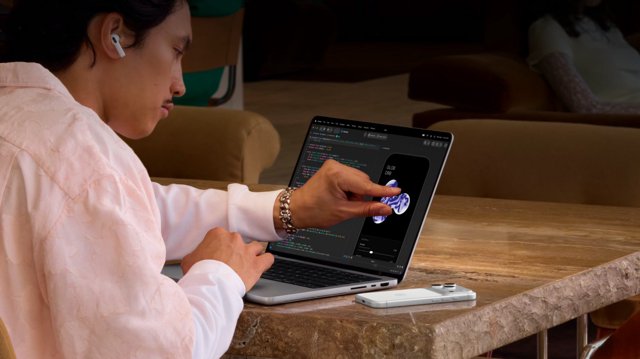
Hey, Nudgeville! Buckle up, because we're diving into a major shift in the tech world that feels like a mix of nostalgia and innovation. Remember when Apple was all about keeping a distance from touchscreens on their Macs? Back in the day, Steve Jobs himself argued that your arms just weren't meant to be reaching up to a vertical screen all day long. Fast forward to 2026, and guess what? Apple has decided to embrace the touchscreen world with the new MacBook Pro featuring the PROLED XDR display. It's like watching your favorite band evolve their sound, but in this case, it’s a whole new way to interact with your device.
As the tech landscape has evolved, so have user expectations. With a generation raised on smartphones and tablets, the demand for touch interaction on laptops has grown louder. It seems that Apple felt the pressure and decided to jump on the bandwagon. But don't panic! Just because the MacBook Pro now has a touchscreen doesn’t mean you have to use it. In fact, you can easily disable the touch feature if you prefer the classic Mac experience. It's like having your cake and eating it too!
For those who want to put the touch feature on hold, the process is super simple. Just click on the Apple logo at the top-left corner, head to System Settings, and select Accessibility. From there, you just need to click on Touch and toggle on the option to Ignore Touch Gestures. It's all about customizing your experience. And if you're using Sidecar with an iPad as a second display, this setting applies there too! Talk about convenience!
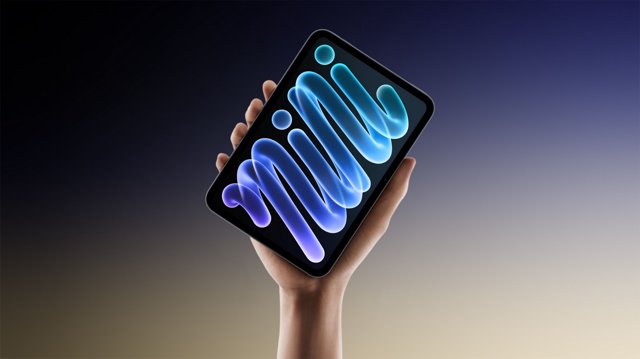
But wait, there’s more! If you find some touch gestures handy but others annoying, you can tweak them individually instead of disabling everything. This flexibility gives you the best of both worlds—keeping some gestures while maintaining the integrity of your workflow. It’s like being able to choose your favorite tracks from an album without having to listen to the whole thing on repeat.
In conclusion, Apple’s leap into touchscreen territory signifies a broader acceptance of how we interact with our devices. As the lines between tech and our everyday lives continue to blur, it’s exciting to think about what’s next. Will we see more hybrid models in the future? For now, embrace the change, or stick to your classic ways—either way, it's all about what works for you!




💬 Comments
Log in to join the conversation.
No comments yet.